2013年7月3日星期三

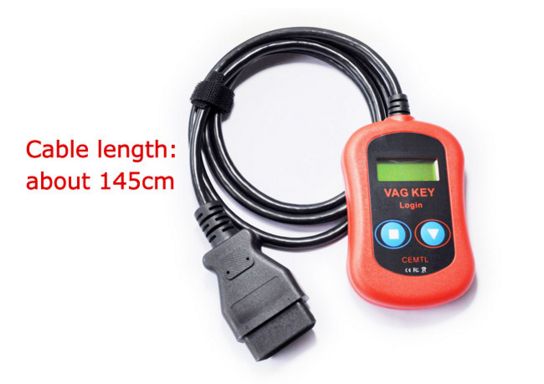
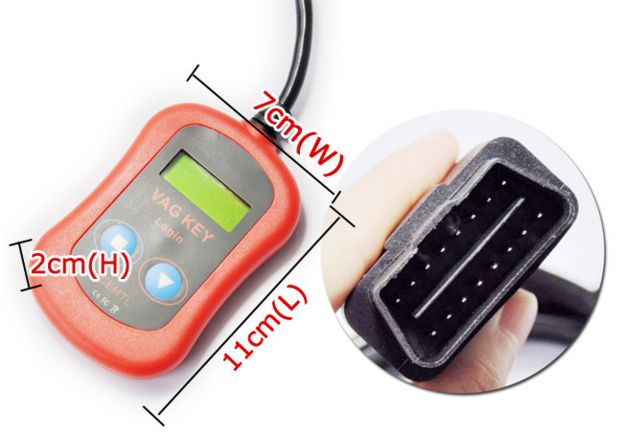
VAG PIN Code Reader and Key Programmer Device

VAG - Volkswagen, Audi, Seat, Skoda, Porsche Cayenne, Bentley Continental display pin code by OBD2 connector.
VAG PIN Code Reader/Key Programmer Device via OBD2

Using this device you can easy extract security code (PIN code) and programming of keys for vehicles from VAG - Volkswagen, Audi, Seat, Skoda, Porsche Cayenne, Bentley Continental.
Device covers latest version of immobilizer systems.
All needed for you is to connect device to OBDII connector of the car. Device automatically detects type of vehicle and displaying PIN code.
You car reach PIN code of vehciles like Audi Q7, VW Tiguan ... idependent when is produced. Year 2008 is covered too!


DEVICE is intended for locksmith workshops, auto services, auto houses.

Device can help in all cases when it need to add blank keys (or transponders) to VAG Group

Vehicles - Volkswagen, Audi, Seat, Skoda, Porsche Cayenne, Bentley Continental

Device can perform easy following functions:

1. Read PIN code (included coverage of EDC16/MED9/EDC17/MED17)

2. Programming of keys/transponders - 1,2,3 or 4


Launch MD4MyCar OBDII EOBD Code Reader Work With iPhone By WiFi

Launch MD4MyCar OBDII/EOBD Code Reader Work With iPhone By WiFi
 
Language: English

MD4MyCar is a new scanner LAUNCH Company well-developed with which the current most popular cell phone, iPhone can be used to diagnose the vehicle faults. The product is suitable for the vehicles that supporting OBDII/EOBD protocols, after it"s connected with the vehicle diagnostic interface, it can realize the wireless data interaction with the user"s iPhone to achieve the automobile fault diagnosis and engine data reading. The Product is with an exquisite and delicate appearance, and can be installed on the vehicle for a long-time. The user-friendly software interface is very easy to operate. MD4MyCar is the perfect companion for your iPhone and the best choice for the car lovers!


Launch MD4MyCar Features

1 Easy to use with one plug-in.
2 Works on all 1996 and newer cars built for the USA market that are OBDII compliant
3 Supports various protocols including SAE J1850 PMW/VPW, ISO9141-2(ISO), ISO14230-4(KWP2000), ISO15765-4(11Bit, 29Bit CAN)
4 Retrieves the vehicle identification number(VIN) on support vehicles.
5 Reads and decodes generic manufacture specific Diagnostic Trouble Codes(DTCS)
6 Clears Diagnostic Trouble Codes(DTCS)
7 Reads and decodes Frozen Frame Data
8 Reads and displays Live Engine Data
9 Records and analyzes driving data
10 Single LED and indication of the data traffic and power status
11 Choice of the protocols is carried out automatically and is transparent to the users.
12 Easy-to-use and upgradeable software for iPhone or iPod touch.


MD4MyCar Launch Specification

Input voltage range: 8 ~ 32V
Working ambient temp: 0 centigrade ~ 50centigrade
Storage ambient temp: -20centigrade ~ 70centigrade
Dimensions: 51*24*36mm(L*W*H)
Weight(single machine): <100g
General Power: <0.9W


INLINE 5 Cummins INSITE

INLINE 5 CumminsINSITE 7.3

CumminsINSITE 7.3is a PC-based software application that provides quick and easy access to your engine’selectronic performance information, which enables faster service turnaround times. INSITE helps to ensureaccurate procedures and diagnosis and limit downtime, while increasing productivity and profits.
Cummins INSITE7.3software supplies engine informationquickly, getting the inside details you need. No matterwhat kind of equipment you run, INSITE is the one support product to have in your virtual toolboxto fit everyCummins electronic engine.
Cummins INSITE 7.3can provide your business with:
       • Trip and vehicle information
       • Parameter and feature adjustment
       • Accurate problem diagnosis
       • Complete wiring diagramsand sensor location maps
       • Step-by-step trouble-shooting information
       • Fault tree information
       • Fault code and symptom-based diagnostics
       • Engine diagnostic tests
       • Tools to create templates for a group of vehicles
       • Fleet management/driver reward programs
       • Audit trail information
       • Enhanced ECM security
   
         functions of the authority are as below:
       • Functionality levels
       • .basic,read Only
       • .lite,limited Functionality
     • .No Calibration Download
       •  .RSGR,Road Speed Governors Restricted
       •  .Similar to Lite,no adjustments to Speed related Parameters
       •  .Pro,Full Functionality
       •  .Read,Write,Adjustments,Calibration Download
       •  .Industrial/Power Generation Applications
       • .Full Functionality for Industrial Engines Only
       •  .Calibration Download
       •   .Feature Adjustment
       •   .Target audience,RSGR locations
      
Cummins INSITE 7.3is offered in four functional levels: Basic, Lite, RSGR and Pro, ranging from a read only access level to full-function access and capability for the service professional. TOP Authority for FREE

Set include:
Insite Interface
6 Pin Cable
9 Pin Cable
16 Pin Cable
USB Cable
Insite 7.3 Software CD


New VAG PROG (Full Version)

VAG PROG Description:

VAG PROG FULL PACKAGE (NEW VERSION) is an advanced Hand Held unit specifically designed for VW (Volkswagen), Audi, Skoda, Seat vehicles.  VAG PROG allows your to write and make odometer corrections and read immo code by OBD2 port on almost all supported vehicles.  This unit replaces the popular VAG DASH PROG.

VAG DASH Listed here comes with ALL Software options inluded for Additional Vehicle Coverage saving $1500 over puchasing the options separately.


Specifications:

  • Hand-held mileage correction tool
  • Powered by two CORTEX ARM cores
  • Speed up to 200MHZ
  • SD card interface to load and save files
  • USB port for update by Internet
  • 320 * 240 TET LCD with 256K colors
  • Shows pictures and help files in detail on unit
  • Integrates CAN-BUS / J1850 / CCD-BUS / ISO9141 / SPI protocols in one multifunctional interface.

Package Contents (STANDARD VS FULL VERSION)


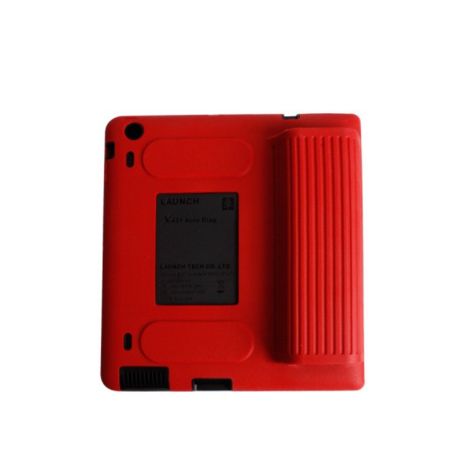
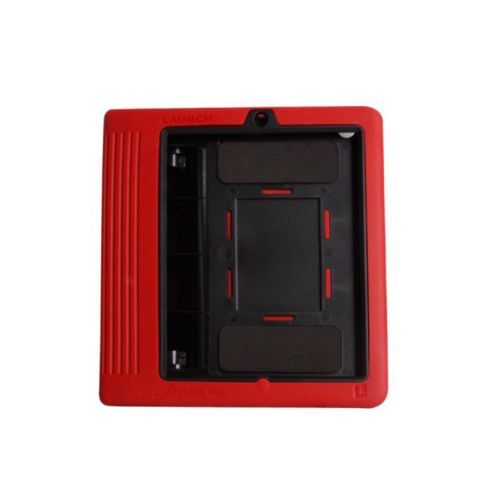
Launch X431 Auto Diag Scanner for IPAD & Iphone original

LAUNCH X431 Auto Diag scanner for IPAD & Iphone 100% original
 
 
Description:
This new powerful tool is work with your Iphone or Ipad , easy to work.
Update by Launch website , after your registered success, you can choose these car brands software accoriding your requirment.
With this Launch X431 Auto Diag, your iPhone or Ipad will turn to be a powerful diagnostic scanner!
Update by Launch website  - after you register successfully, You can download diagnostic software you want into your iPhone or iPad.
Then, connect your iPhone / iPad with Launch X431 Auto Diag, you can diagnose the cars.
 
 
Attention:  There is no software in the scanner
With this Launch X431 Auto Diag, your iPhone or IPAD will turn to be a powerful diagnostic scanner!
Please notice there is no software in package. This package only hardware.
We will offer Launch X431 register name & password. You need to buy diagnostic software directly from Launch official website. It will cost about 60USD for each software.
Update by Launch website - after you register successfully, You can download diagnostic software you want into your iPhone or iPad.Then, connect your iPhone / iPad
with Launch X431 Auto Diag, you can diagnose the cars.

Imagins:


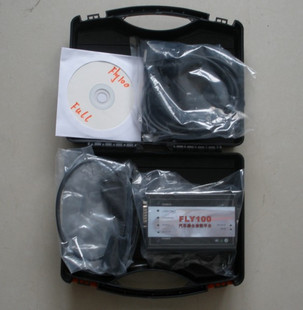
Honda key programmer Fly100

Honda functions include:

The FLY100 software covers all vehicles from 1992 to current (except for the Honda Passport and Acura SLX**) and includes all the necessary items to monitor, diagnose.


Honda functions include:
• DTC reading and clearing (allows the user to read both permanent and temporary DTCs. Once the fault causing the DTC has been found and repaired the DTC tool can then be used to clear DTCs.)
• Snapshot function (capture data relative to a trigger event)
• Vehicle data display (value, line graph, or bar graph formats)
• DLC locator diagrams
• Data list display (real-time display of ECU parameters)
• System Functional Tests (allows for more detailed testing of specific parts of the vehicle systems, where the ECU’s support these tests (e.g. Window movement, Lighting, Vehicle Gauges and engine components)).
• Onboard tutorial
• Immobiliser
• Odometer Rewrite


Hardware and software requirements:
• PC or laptop with either Windows 2000 Professional (SP4 or later) or XP (SP1 or later)
• Hard disk drive with at least 400MB of free space
• CD-ROM drive (if a high-speed Internet connection is not available)
• RS232 port required to connect PC to IDT
• Monitor capable of displaying in VGA mode or above (1024 x 768 recommended)

DTC Monitor
DTC Read/Clear is part of the DTC Monitor Tool which allows the user to do the following.
• View all previous sessions of DTC Monitor
• Print the current list of DTC’s or freeze data
• Select the freeze data option allowing the user a view of parameter states at the point the most significant fault occurred
• Clear the DTC’s
• Read readiness codes (if available)
• Get OBD Status (if available)
• Get Help
• Tool Exit
Figure 1 shows the existing DTC’s currently logged on the vehicle. The data is read every 3 seconds to ensure the DTC display is accurate.
Figure 2 shows the start of the DTC clear routine.


Datalist
The Datalist tool has the following options available.
• System Help (help on the tool)
• Parameter Help
• Printing
• Storing and recalling view configuration
• Signal selection
Datalist is a live view of all signals available for the currently selected system; the displayed list is continuously updated.
Datalist has configurable views giving a list, Line or bar graph view. Figure 3 and 4 shows how to select signals for bar graph or line display. Examples of the data formats can be seen by selecting Data Formats.
Datalist allows for the saving of configured views.
Datalist allows the displayed units to be changed i.e. km/h to mph or lbs to Kg etc.
Help is available on the whole of the Datalist tool and on each displayed signal. See Datalist Figure 5 for help example


Figure 5
Data Formats
The data can be displayed in differing formats e.g.List, Bar Graph and Line display.
The signals can be displayed as different units e.g. km/h mph etc.
View Figure 6:- Is an example of the full list display, note the scroll bar allows the user to scroll through the list allowing the full range of signals to be viewed.
View Figure 7:- Is an example of the bar graph display, again there is a scroll bar to allow the user to view all available signals.
View Figure 8:- Is an example of the line display.
Note that by selecting the icons available on the right of the display it is very easy to switch between the available views.
The units displayed for each parameter can be changed, allowing a user to select units they are more familiar with.
Refer to Figures 9 and 10 for the different unit displays. Note the units’ column shows the newly selected units in Figure 10. Note also the Values column has now changed to reflect the new unit values.
Figure 11 shows the pressure unit has been selected and that a drop down list of alternative units is presented.


Functional Tests
The functional test menu will display all tests available for the selected system.
Figure 12 shows an example of a functional test in progress.


DLC Locator
The DLC Locator is a quick guide to the location of the Diagnostic connector. Simply select the Vehicle and model year of the vehicle to be diagnosed and the DLC Locator displays a picture with a circle showing the approximate position of the diagnostic connector.


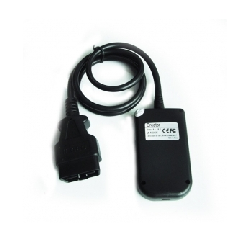
Creator C110 Code Reader for BMW

C100 Auto Scan OBDII/EOBD Code Reader

Supports  between 2000 to 2012 for BMW brand

Language: English

Version: V2.1

Free Upgrade Software


Function

1. Read trouble codes
2. Clear trouble codes
3. Displays live data stream and graph display
4. Component Testing
5. Clear adaptation
6. Vehicle version information.


Supported car model

1 Series :1'_E81/E82/E87/E88
3 Series :3'/Z3_E36 , 3'_E46 , 3'_E90/E91/E92/E93
5 Series :5'_E39 , 5'_E60/E61
6 Series :6'_E63/E64
7 Series :7'_E38 ,7'_E65/E66
X Series :X1_E84 , X3_E83 , X5_E53, X5_E70 ,X6_E71,
Z Series :3'/Z3_E36 ,Z4 E85/E86 ,Z4 E89
MINI :MINI _R50/R52/R53 , MINI R55/R56


Features

1. 240 x 320 color display

2. support for USB 2.0

3. Hand-held, easy to carry and operate


Applicable system include

DME , EGS , ABS , SRS , IHKA/IHKR , IKE/IKI/KOMBI, EML, SPM/SM, EWS, ZKE, GR, PDC, SZM, BIT, LSZ/LCM, LEW, RAD, EHC/EDC, BM, AIC, NAV, MFL, VID, SES, MID, SHD, SMF, SPMBT, SPMFT, VTG, CID, EPS, SBSL, SBSR, CVM, SIM, SMB, URS, RDC, VMX, VNC, EKM, DWA, XEN, FHK, GSA, AHK, ADS, CAS, DME, EGS, VTC, HPFI, ACC, ARS, CIM, DSC, EDC, EHC, EMF, RDC, AHL, AHM, AMP, ASK, SZM/BZM, FBZM, CD, CD-GW, SG-FD, SG-FD- GW, FD, CDC, CON, FCON, DWA, FBI, IHKA, FKA, HKL, JBIT, KHI, KOM, LM, DVD-C, NAV , JNAV, PDC, CA, PM/MPM, RLS, SASL, SASR, SBSL, SBSR, SFZ, SSBF, SSFA, SSH, STVL , STVR, SHD, SINE, SMFA, SMBF, SMFAH, SMBFH, SHZH, SVS, SZL, SEC, TEL, TCU, TMBF T, TMBFH, TMFAT, TMFAH, VM, WIM, ZGM, SIM, KBM, SBSL, SBSR, TMFA, TMBF, CID, AL , JBE, MRS/ACSM, FRM, RLS, FZD, CCC-ANT, DDE, CCC-A, EKPS, GWS, VTG, VTC, VTC2, CCC-ASK, AL, EDCSHL, EDCSHR, EDCSVL, EDCSVR, VDM, ACSM, AMPH, AMPT, CA, CCC-BO, CCC-GW, CHAMP-BO, CHAMP-GW, CNAV, DAB, FD, FLA, FRM2, FZD, HUD, IBOC, IHKA, INS TR, JBE2, KHM, KNAV, M-ASK-BO, M-ASK-GW, RFK, RLSS, RSE, SDARS, SINE, ULF-SBX, ULF-SBX-H, VSW, EHC, ULF, IHKR, IHR, M-ASK-NAV, MRS, RAD2-BO, RAD2-GW, SDMRS, DME2, ACC2, ANT, ARS, BZM, CD, CEM, CIM2, LM2 AHL2, LM2, LM2, NVE, NVK, PM, SEC 2, SGM-SIM, SGM-ZGM, VTC2, ZBM, DSC, DSC, ALBBF, ALBFA, CIC, CIC-GW, IHKA2, KGM, SZL2, LDM, LRR, MPM, SMG, TLC, Integrate Chas Manag, Rol-mo dis, rear axle, ABS /ACS/DSC, AMP, IHKS, IHS, MJOY, AIRBAG, EWS.


Description

Creator C110 BMW Code Reader V2.1 supports B MW between 2000 to 2011 years. function inculde read trouble codes, clear trouble codes, displays live data stream, component testing, clear adapation and vehicle infromation. Add MINI Cooper test function.

Specification

Standard accessories

1. C110 Scanner - for test vehicle
2. User's Manual - Instructions on tool operations.
3. USB Cable - Used to upgrade the scan tool.